aidirecto
CleanYourTV
Strip ads and bloatware from Android TV and Google TV.
What is CleanYourTV?
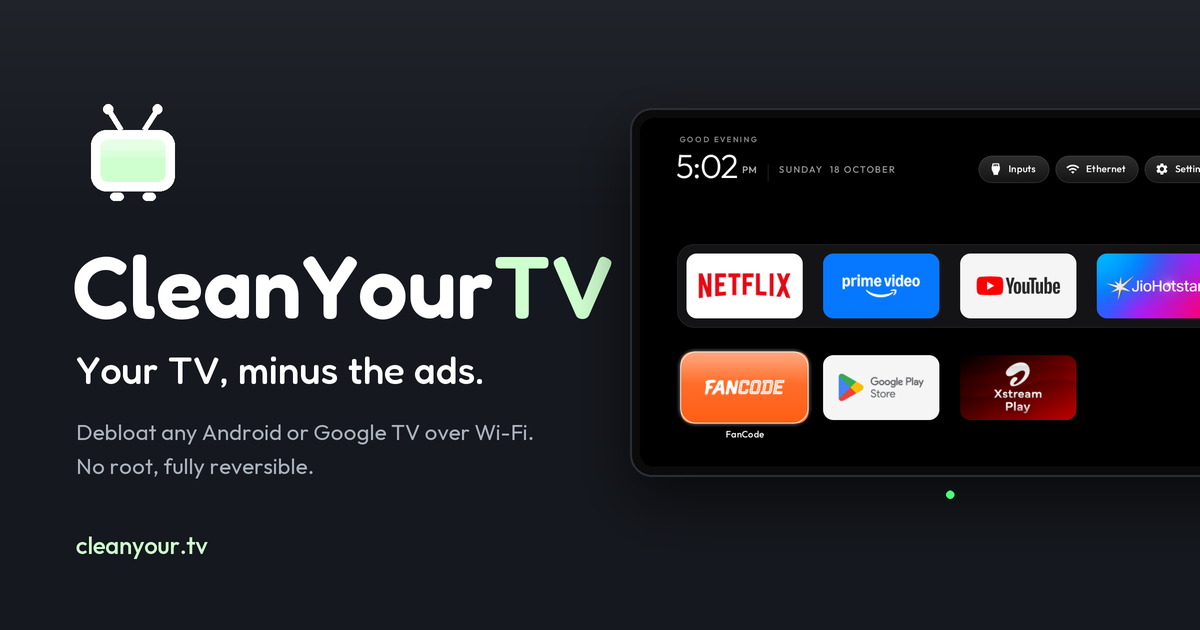
CleanYourTV is a free, MIT-licensed project that debloats an Android TV or Google TV set over Wi-Fi: it connects through ADB, disables the sponsored launcher and bloatware packages in the user profile, and puts a light Apple TV-style launcher in their place. Nothing is rooted, flashed or uninstalled, and a one-line script restores every package. It ships curated package lists for 293 TV models from 83 brands plus community launchers, add-ons and themes. Setup is a guided procedure: enable developer options and USB/network debugging on the TV, then either paste the project prompt into an AI coding assistant or follow the docs yourself. Best for owners of ad-heavy Xiaomi, TCL, Sony and Chromecast sets who want the stock home screen gone without touching firmware; the catch is that it is a terminal-driven DIY cleanup rather than a download-and-run app.
- Owners of ad-heavy Android TV or Google TV sets (Xiaomi, TCL, Sony, Chromecast)
- Households that want a clean launcher without root, flashing or a factory reset
- Tinkerers comfortable turning on ADB and running a script over Wi-Fi
- Guided DIY, not an app: it needs developer options, network ADB and a terminal (or an AI assistant to do the typing)
- No prebuilt APK — the launcher is compiled from source with a one-line build script
- Network ADB is plaintext on port 5555, so switch debugging off afterwards; firmware updates can also bring disabled packages back
What it does
- 01Package lists per modelCurated debloat lists for 293 TVs from 83 brands, applied in small batches with a restore ready.
- 02Apple TV-style launcherA ~517 KB home screen that lists installed apps and launches them with stable intents.
- 03Reversible by designPackages are disabled in the user profile, never deleted; one script line or the TV Settings → Apps page puts them back.
- 04Remote setup over TailscaleClean a TV in another home over a private Tailscale link instead of the same Wi-Fi.
CleanYourTV pricing
Change log
What our crawler noticed on cleanyour.tv since listing.
- 25 Oct 2026+Listed after editor review
Questions about CleanYourTV
Is CleanYourTV free?
Yes. The repository is MIT-licensed and you build everything yourself; there are no licences or subscriptions, just an optional "buy me a coffee" link. A community-built Android phone app also does the same cleanup for people without a computer.
Can it brick the TV?
Nothing is flashed, rooted or deleted. Packages are disabled in the user profile and the TV's own Settings → Apps page can re-enable them, so a bad list is recoverable without a factory reset — which is why lists are applied in small batches.
Do I need root or a cable?
No. Everything runs over Wi-Fi through ADB; you only enable USB/network debugging in developer options once, and the launcher keeps working after debugging is switched off again.
CleanYourTV alternatives
 OpenBotA forkable, self-hosted agent platform where every bot gets its own machineOpen source
 Rill BrowserFree Mac browser where Claude Code and Codex agents work beside you.Free
 guilds.runOpen-source multi-agent teams you can inspect prompt-by-prompt.Open source